Grab a coffee, take a seat, maybe listen to some music and relax by reading ourblog. We want to share our passions and know how with you and the whole world!
We’re big fans of Google Analytics here at Crescent Digital and here’s how we manage to track form submissions from Contact Form 7 in Google Analytics as events, which we add as goals.
This means that we can say that for example, ever visitor who sends a message is worth £200. We track this as an event which we add as a goal in Google Analytics. This allows us to be much more efficient with customer acquisition. This may show us that 2% of visitors send us messages which means that 100 visitors are worth £400 or 1 visitor is worth £4. If running PPC campaigns, these are important metrics.
This is what you need to do:
Make sure that you have Google Universal Analytics set-up for your site and you are using Contact Form.
Edit the contact form you are using and add the following code to the Additional Settings field:
In Google Analytics, select Admin -> Goals -> New Goal and set up the fields exactly as shown in the screenshot: (only 2 fields are mandatory, Category & Action. Set them to ‘Contact Form’ and ‘sent’ respectively.
It will take 24hrs+ to start logging / verifying if you have just set it up.
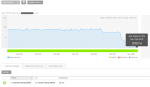
After this has been running for 24hrs , in Google Analytics, navigate to Behavior -> Events, where you should see logging happening from the contact form as below:
WordPress is a great platform for building websites and we’ve had some great results SEO’ing WordPress installations. However, straight out of the box, its not perfect, but can be improved.
Page Load Times
Search engines such as Google put much emphasis on usability and if visitors are bouncing back out of your site after being frustrated waiting for pages or images to load, that sends a really bad signal to them, meaning your site will likely get pushed down the results.
I’ve seen some really slow sites, but typical WordPress sites on cheap, shared web hosting with (too many) plugins, tend to have load times IRO of 3-4 seconds (too slow). You want less than 2 seconds minimum with a target of below 1 second, and this is what you need to consider:
Google places emphasis on usability and returning high quality results. After all, the quality of the results was the reason we all started to use Google in the first place instead of AltaVista.
Below is of elements for high quality content for your site. In addition, make sure where your website is hosted is fast and reliable:
We all receive the emails from SEO companies, promising of ‘no 1 position in Google’ – ironically after they have found you in Google. We have been called in to several businesses who have used the services of some questionable SEO agencies, still charging several hundred pounds per month, often ending in penalties from Google.
“It’s a shame that an entire profession should be ruined by two to three hundred thousand rotten apples.”
So, what do you ask when hiring an SEO Company?
It would be easy for me to ‘geek out’ on technicalities, but the typical business owner / manager would probably not be as technically comfortable with SEO terms, so below is a list of non-technical questions.
Improving a Slow Web Site in Order to Reduce Bounces
At Crescent Digital, in our strive for constant improvement, we sometimes stay awake at night worrying about how fast our clients websites are loading and is there anything else we can do to squeeze more performance out of them in order to generate more conversions.
Problem Explained: Whilst many people are familiar with metrics such as hits, ‘bounce rate’ is a hugely important metric of your website and potentially your business. Bounce rate is a measurement of how many visitors are rejecting your site. They land on your site and ‘bounce out’ without reading anything. A bounce rate of 50% means you’re losing half of your visitors without reading anything.
There’s a double penalty: Bounce rates show Google that your site is unloved and not what searches are looking for, which will ultimately mean your site losing visibility in Google.
Bounce rates can be influenced by a number of things and are a whole different subject we’d happily spend hours discussing, but the single biggest thing you can do today is to reduce the time it takes for your website’s pages to load.
Example: In my clients case – let’s call them “Zoom Microscopes” – the first thing that struck me was how slow their website was. After hooking up Google Analytics, a bounce rate of > 60% was observed (meaning 60% of visitors land on the site and ‘bounce out’ without reading anything). I suspected that many of these visitors didn’t even wait for the pages to load. Zoom Microscopes, like many companies, use cheap, shared web hosting from reassuringly well-known web hosting companies. This particular hosting company – one of the most well-known hosting companies – unfortunately hosts it’s UK sites in Amsterdam. (There is minor loss in performance from being located a little way from the UK, but in terms of SEO, a website hosted in Holland is sending confusing signals to the search engines, particularly if non-UK domains are used, such as .com.)
Thanks for the explaination. I did everything accordingly, and now waiting for the 24h to pass for it to show up in my Analytics. However, the small one-sentence confirmation is not appearing anymore, when someone fills in the contact form on our website. Could you please give some input on how to fix this?
Unfortunately not I’m afraid. It does vary with the type of activity and LinkedIn frequently change their policies, but at present, LinkedIn’s maximum is 30 days.
Regards
Steve
Hi there.thank you for your website
Is there any possibility to see all my updates in linkedin from the bigining?I had been linkedin member for about 3 years or so and .I had shared simething that I need it now and unfortunately I lose to have them any where else they were gone. I’d have been grateful if you can guide me
Many thanks






Verena
| #
Thanks for the explaination. I did everything accordingly, and now waiting for the 24h to pass for it to show up in my Analytics. However, the small one-sentence confirmation is not appearing anymore, when someone fills in the contact form on our website. Could you please give some input on how to fix this?
stevenba
| #
Unfortunately not I’m afraid. It does vary with the type of activity and LinkedIn frequently change their policies, but at present, LinkedIn’s maximum is 30 days.
Regards
Steve
N_jarolmasjed
| #
Hi there.thank you for your website
Is there any possibility to see all my updates in linkedin from the bigining?I had been linkedin member for about 3 years or so and .I had shared simething that I need it now and unfortunately I lose to have them any where else they were gone. I’d have been grateful if you can guide me
Many thanks