

How To Exclude All Mobile Apps In The New Adwords Interface
In September 2018, Google made changes to the way your ads appear in placements.
Starting in September 2018, Google is simplifying targeting and exclusion controls for Google Display Network ads on mobile devices in order to make it easier to reach the growing base of mobile users. As a result of these changes, you may see a significant increase in mobile apps or mobile web traffic (depending on your current settings).
“significant increase in mobile apps” is the part for concern for ourselves. Google places ads in mobile apps and games and it’s switched on by default, even if you had previously excluded it. Mobile apps can be the source of poor quality traffic, resulting from kids playing on apps or accidental clicks. Personally, unless I’m convinced, I’d rather block our ads from showing here.
How To Exclude App Placements
For campaigns that targeted different kinds of mobile and tablet traffic, you can update your device targeting by following these steps:
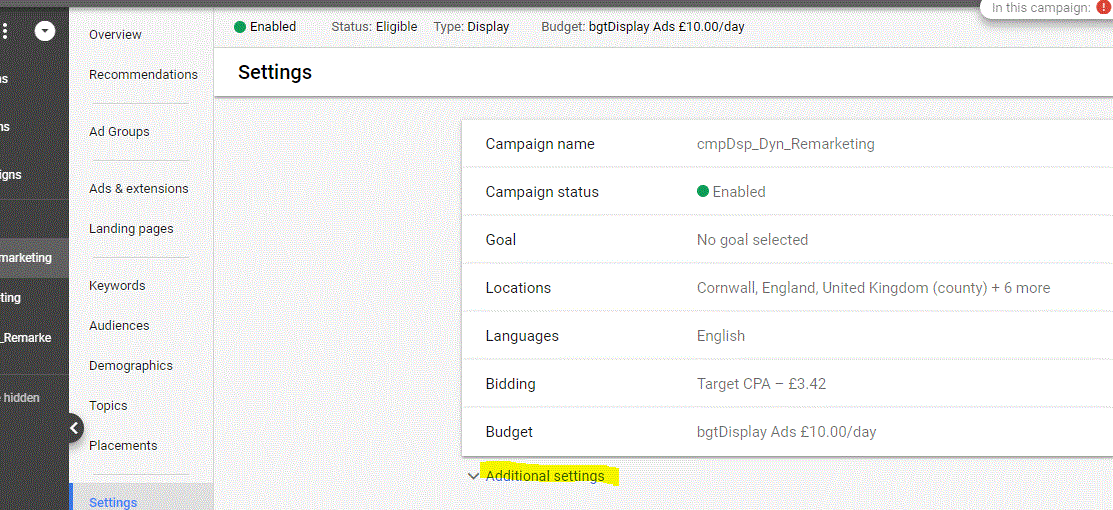
- Using the new AdWords interface, visit your campaign settings.
- Click Additional settings.
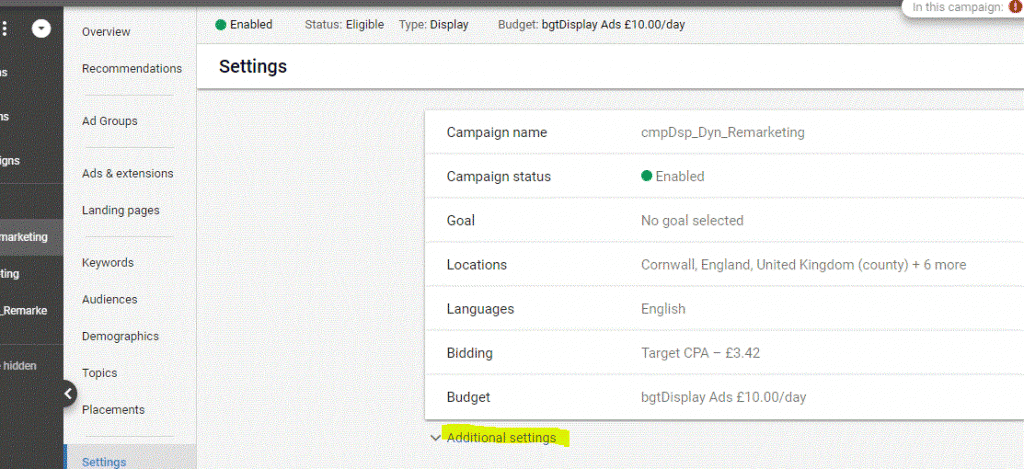
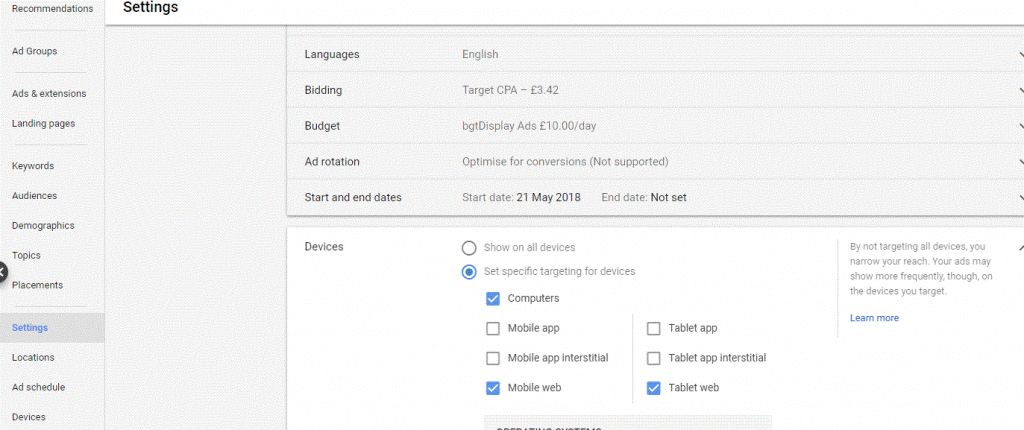
- Click Devices.
- Click Set specific targeting for devices.
- Select the device settings that apply to you:
- Click Save

You may wish to check all of your other campaigns and accounts. We would also recommend closely monitoring the performance of your campaigns following these edits.
In Summary
Google have caught advertisers unaware with these changes as they have effectively overridden legacy exclusions meaning your ads are showing and costing more than previously but using the new settings means you can still exercise some control.
Tags: adwords remarketing, google adwords


Verena
| #
Thanks for the explaination. I did everything accordingly, and now waiting for the 24h to pass for it to show up in my Analytics. However, the small one-sentence confirmation is not appearing anymore, when someone fills in the contact form on our website. Could you please give some input on how to fix this?
stevenba
| #
Unfortunately not I’m afraid. It does vary with the type of activity and LinkedIn frequently change their policies, but at present, LinkedIn’s maximum is 30 days.
Regards
Steve
N_jarolmasjed
| #
Hi there.thank you for your website
Is there any possibility to see all my updates in linkedin from the bigining?I had been linkedin member for about 3 years or so and .I had shared simething that I need it now and unfortunately I lose to have them any where else they were gone. I’d have been grateful if you can guide me
Many thanks